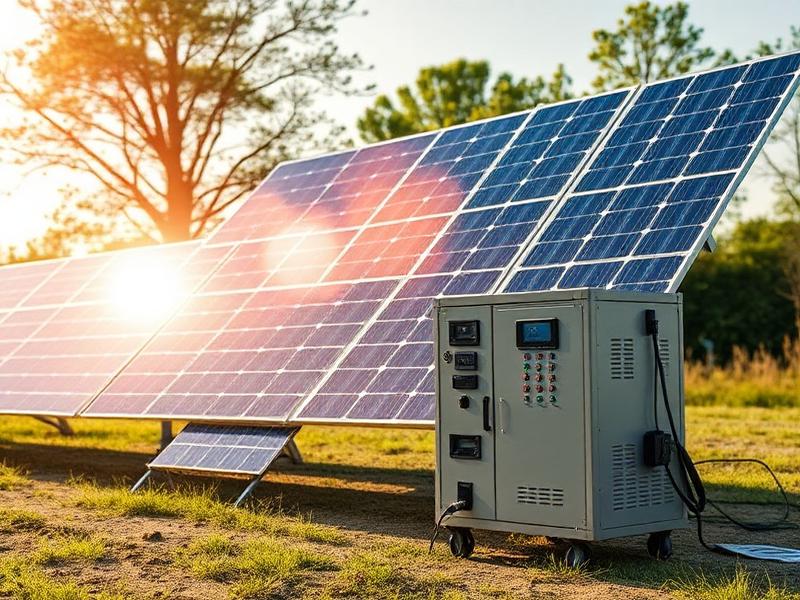
Portable Power Buyer’s Guide 2026: How to Choose the Right Backup Power
Why Backup Power Is No Longer Optional
Power cuts used to be a rare inconvenience. Now they’re something many households plan around.
Homes rely on electricity for far more than lights.

Internet, heating controls, refrigeration, security systems, and medical equipment all stop working when the grid goes down.
Even short outages can cause real disruption. Longer ones create stress very quickly.
This buyer’s guide breaks down portable power stations in plain English.
Backup power isn’t about preparing for the end of the world. It’s about staying comfortable, connected, and in control when things don’t go to plan.
| Then | Now |
|---|---|
| Lights and a TV | Internet, work, heating controls |
| Occasional outages | More frequent disruptions |
| Few critical devices | Multiple always-on systems |
| Minor inconvenience | Major disruption |
That’s why more people are looking for quieter, safer alternatives to fuel generators. Something that works indoors, doesn’t need constant maintenance, and is ready when you need it.
That’s where portable power stations fit in.
This isn’t about panic buying
Backup power isn’t about expecting disaster. It’s about staying comfortable and connected when things don’t go to plan.
How Portable Power Stations Actually Work
At a basic level, a portable power station is a large rechargeable battery with built-in electronics that let you plug everyday devices into it.

You charge it in advance using a wall socket, and in some cases solar panels or a car outlet. When the power goes out, the stored energy is already there waiting.
Inside the unit, the battery stores electricity as direct current. An internal inverter converts that into the same type of power your home appliances use. You plug things in just like you would at the wall.
| Type of Power | What It Does | Why It Matters |
|---|---|---|
| DC (Battery power) | Stores energy inside the unit | Efficient and stable |
| AC (Inverter output) | Powers household devices | Matches wall sockets |
| USB power | Charges small electronics directly | Saves energy |
There’s no engine. No fuel. No fumes.
The power station simply supplies energy until the battery runs down, then it shuts off safely. Many models also monitor temperature, load, and battery health automatically.
That simplicity is why they’ve become so popular for home backup, travel, and emergency use. They don’t replace the grid. They buy you time when the grid disappears.
| Portable Power Station | Traditional Generator |
|---|---|
| No fuel | Requires fuel |
| Quiet | Loud |
| Safe indoors | Outdoor use only |
| Minimal maintenance | Regular maintenance |
| Push-button simple | Manual setup |
How Much Power Do You Need?
This is where most people get stuck.
Not because it’s complicated, but because the industry makes it sound complicated.
You don’t need to understand electricity.
You just need to understand two things: watts and watt-hours.
Once those click, everything else gets easier.

Watts – What Can It Run Right Now?
Watts tell you how much muscle a power station has at any given moment.
This Portable Power Buyer’s Guide provides insights into choosing the right model.
Think of it like this.
If the watts aren’t there, the device simply won’t turn on. End of story.
Here’s what most homes actually care about:
| Wi-Fi router | 10–20 watts |
| Smartphone charger | 5–15 watts |
| Laptop | 50–100 watts |
| Desktop computer | 150–300 watts |
| Television | 100–200 watts |
| LED lighting (room) | 30–100 watts |
| Refrigerator (running) | 150–300 watts |
| Microwave | 1,000–1,500 watts |
| Kettle or coffee machine | 1,000–1,500 watts |
| Space heater | 1,500–2,000+ watts |
| CPAP machine | 30–60 watts |
| Power tools (start-up) | 1,000–2,000+ watts |
If you want to run kitchen appliances, tools, or a few things at once, anything under 2,000 watts starts to feel limiting very quickly.
This is where people often cheap out and regret it later.
Watt-Hours – How Long Will It Last?

Watt-hours are your fuel tank.
They answer one question: how long can this thing keep going?
A rough way to think about it is simple:
Battery size divided by device power equals runtime.
So a 1,000 watt-hour power station running a 100 watt device gives you roughly 8 to 10 hours in the real world.
Why not 10 exactly?
Because no power station is perfectly efficient. Some energy gets lost. That’s normal.
Battery Runtime Calculator
Calculate how long your device will run on battery power.
⚡ Power Station Size Calculator
Find the perfect power station capacity for your needs in seconds
What This Looks Like in Real Life
Forget theory. This is how people actually use these things.
Here’s a rough idea of what common household devices actually draw when they’re running.
| Typical Situation | Recommended Capacity |
|---|---|
| Phone charging, Wi-Fi, a few lights | 500–700 Wh |
| Fridge, Wi-Fi, lighting | 1,000–1,500 Wh |
| Fridge, TV, laptop, small appliances | 2,000 Wh or more |
| Home essentials during longer outages | 3,000 Wh or more |
| High-power appliances or whole-home backup | 3,000 Wh+ with expansion |
Here’s the honest truth.
Almost nobody complains that they bought too much capacity. Plenty of people complain they bought too little.
Surge Power. The Bit Everyone Misses
Some appliances need a quick burst of extra power when they start. Fridges, freezers, pumps, and power tools are the usual culprits.
For example, a fridge might only run at 200 watts, but it can briefly demand 800 to 1,200 watts just to kick on.
If your power station can’t handle that short spike, the appliance won’t start, even if the battery is full.
This is why many homeowners are better off choosing a power station with more wattage headroom than they think they need.
So What Size Should You Actually Buy?
If you want a simple answer, here it is.
- Basics only, short outages
About 1,000 watt-hours - Home essentials you rely on
Around 2,000 watt-hours - Bigger homes, longer outages, peace of mind
3,000 watt-hours or more
I’ll be honest. If you’re sitting on the fence between two sizes, go up one level. The extra capacity gets used sooner than you expect.
If you want to see which models actually make sense for these scenarios, have a look at our best portable power stations page and compare them side by side. It’s much easier than guessing.
Once you understand watts and watt-hours, the marketing noise fades away. From here on, you’re choosing deliberately instead of hoping you got it right.
Battery Types (Important!)
Battery Types: Why LiFePO4 Matters (and When It Doesn’t)
Not all portable power stations use the same type of battery, and this is one of those details that actually matters long after the excitement of buying wears off.
Most power stations use one of two battery types: standard lithium-ion or LiFePO4.
| Feature | Lithium-Ion | LiFePO4 |
|---|---|---|
| Typical lifespan | 500–800 cycles | 3,000–4,000 cycles |
| Long-term reliability | Moderate | Very high |
| Safety and stability | Good | Excellent |
| Performance after years | Noticeable decline | Holds capacity well |
| Weight | Lighter | Heavier |
| Upfront cost | Lower | Higher |
| Best for | Occasional use | Home backup and long-term use |
They both work. But they behave very differently over time.
Lithium-Ion Batteries (The Older Standard)
Lithium-ion batteries are what you’ll find in phones, laptops, and older power stations.
They’re lighter and cheaper, which is why many entry-level models still use them.
The downside shows up later.

Most lithium-ion batteries are rated for around 500 to 800 full charge cycles before their capacity noticeably drops. That doesn’t mean they suddenly stop working, but you will get less runtime as the years go by.
If you only plan to use a power station occasionally for camping or short trips, this may be perfectly fine.
For long-term emergency backup, it’s not ideal.
LiFePO4 Batteries (The Better Long-Term Choice)
LiFePO4 batteries cost more upfront, but they last much longer.
Most are rated for 3,000 to 4,000 charge cycles before dropping to around 80 percent capacity. In real terms, that can mean a decade or more of useful life.
They’re also more stable. Less heat. Lower fire risk. Better performance when sitting unused for long periods.
That last point matters more than people realise. Backup power often sits untouched for months. When you finally need it, you want it to just work.
This is why many newer power stations are switching to LiFePO4, even if it pushes the price higher.
Does Battery Type Actually Matter for You?
| Your Situation | Better Fit |
|---|---|
| Occasional camping or trips | Lithium-ion |
| Emergency home backup | LiFePO4 |
| Medical device backup | LiFePO4 |
| Long-term peace of mind | LiFePO4 |
| Lowest upfront cost | Lithium-ion |
Here’s the honest take.
If you’re buying a small, inexpensive power station for occasional trips or light use, lithium-ion can be fine. You’ll probably replace it for other reasons before the battery wears out.
If you’re buying for home backup, medical devices, or peace of mind during outages, LiFePO4 is worth paying for.
I’d personally rather buy once and not think about it again for ten years.
One Trade-Off to Be Aware Of
LiFePO4 units are usually heavier.
That’s the price you pay for durability and safety. For most home users, it’s a fair trade. For people who carry their power station long distances, weight can matter more.
This is one of those cases where there’s no perfect answer, only a better fit for how you’ll actually use it.
If you want to see which models use LiFePO4 and which still rely on lithium-ion, our best portable power stations page breaks that down clearly.
That’s usually the fastest way to narrow your options without drowning in specs.
Solar Charging: What to Know Before You Rely on It
⚡ Solar Charging Time Estimator
Calculate how long it will take to recharge your portable power station using solar panels. Get accurate estimates based on your panel wattage, battery capacity, and weather conditions.
💡 Solar Charging Tips
Solar charging sounds brilliant in theory.
Free power. No fuel. No noise. No running to the garage when the grid goes down.
But the thing is, solar charging with portable power stations is often misunderstood. And if you go in with the wrong expectations, you’ll be disappointed.
Let’s clear that up.
Understanding your options through the Portable Power Buyer’s Guide can lead to better choices.
What Solar Charging Is Actually Good For
Solar works best as a slow, steady top-up, not a miracle solution.
If you’re camping, travelling, or dealing with a longer outage where you want to stretch your battery over several days, solar makes a lot of sense.
It keeps essentials running.
It buys you time.
It reduces how often you need to recharge from the wall.
I’ve seen people assume a single panel will magically refill a big power station in a few hours. That almost never happens in real life.
The Portable Power Buyer’s Guide provides clarity on the specifications and features you should look for.
Panel Wattage vs Real-World Output
This is where expectations and reality part ways.
A 200-watt solar panel does not mean you will get 200 watts all day long.

In real conditions, you’re more likely to see:
- 60 to 75 percent of the rated output
- less if it’s cloudy
- much less if the panel angle is poor
So a 200-watt panel might realistically deliver 120 to 150 watts for a few good hours.
That’s not bad. It’s just not instant.
How Long Does Solar Charging Actually Take?
| Power Station Size | Solar Panel Setup | Typical Daily Recharge |
|---|---|---|
| 500 Wh | 100W panel | 30–50% |
| 1,000 Wh | 200W panel | 50–70% |
| 2,000 Wh | 400W panels | 40–60% |
| 3,000 Wh | 600W+ panels | 30–50% |
Let’s keep it simple.
If you have:
- a 1,000 watt-hour power station
- a 200-watt solar panel
- decent sunlight for 5 to 6 hours
You might recover roughly half to two-thirds of the battery in a day.
Enough to keep things going.
Not enough to power everything nonstop.
This is why solar works best when paired with energy discipline. Use what you need. Don’t waste it. Let the sun refill what it can.
Solar Input Limits Matter More Than People Realise
Not all power stations accept the same solar input.
Some cap out at 200 watts. Others can handle 400, 800, or more.
If a power station can only accept 200 watts, adding more panels won’t help. You’ll just hit the ceiling.

This is one of those specs people skip over and regret later.
If solar is part of your plan, the input limit matters just as much as battery size.
Is Solar Worth Paying Extra For?
Here’s my honest take.
If you live somewhere with frequent outages, solar is worth it as a backup option. Even modest solar can keep your router, lights, and phone alive indefinitely.
If you’re buying purely for short outages or occasional use, solar is optional. Wall charging alone may be enough.
If you camp, travel, or want true off-grid capability, solar stops being a “nice extra” and starts being the whole point.
Just don’t overspend upfront. Panels can always be added later.
| Your Situation | Solar Makes Sense? |
|---|---|
| Short outages, urban home | Maybe |
| Frequent or long outages | Yes |
| Camping or travel | Yes |
| Emergency-only backup | Optional |
| Expecting fast recharges | No |
One Final Reality Check
Solar charging is about resilience, not convenience. It works best when you plan for slower recharging and lower expectations.
It’s slower. It’s weather-dependent. It rewards planning.
But when the grid stays down longer than expected, solar quietly becomes the most valuable feature you own.
If you want to see which power stations handle solar input well, our best portable power stations page breaks this down clearly without burying you in specs.
That’s usually the fastest way to see what’s actually practical.
Port Selection
Ports and Outputs: What You Can Plug In

This part gets overlooked more than it should.
People focus on battery size and wattage, then get the power station home and realise they don’t actually have the right ports for what they use every day.
So let’s slow this down and make it practical.
| Device | Best Port Type |
|---|---|
| Smartphone | USB-A or USB-C |
| Laptop | USB-C or AC |
| Wi-Fi router | AC |
| Television | AC |
| Refrigerator | AC |
| CPAP machine | AC or DC (model dependent) |
| LED lights | USB or AC |
| Car fridge | 12V socket |
AC Outlets (The Ones That Feel Like a Wall Socket)
AC outlets are what most people think of first. These are the normal plug sockets you’d find around your house.
If you want to run things like:
- TVs
- laptops
- fridges
- kettles
- small appliances
You need AC outlets.
Two things matter here.
First, how many AC outlets there are.
Second, how much power they can deliver together, not individually.
Some power stations advertise four AC outlets, but the total output is still capped. Plugging in too much at once will trip the system.
For most homes, two to four AC outlets is plenty. What matters more is having enough wattage headroom, which we covered earlier.
USB Ports (Quietly the Most Used)
USB ports don’t sound exciting, but they’re often the most convenient.
Most power stations include:
- USB-A for older devices
- USB-C for newer phones and laptops
If you work remotely or rely on modern tech, USB-C with higher output is a big plus. It lets you charge laptops directly without wasting power converting to AC and back again.
I’ve found that once people have decent USB ports, they stop using AC for small electronics altogether.
It’s more efficient. And simpler.
Small efficiency tip
Charging laptops and phones directly via USB-C uses less power than running them through AC. Over a long outage, that difference adds up.
12V Outputs (Useful, but Niche)
You’ll often see a 12V socket listed, sometimes called a car outlet.
These are useful for:
- car fridges
- some camping gear
- certain routers or DC appliances
If you’re mostly using the power station at home, you might never touch this port. If you camp or travel, it suddenly becomes very handy.
It’s a “nice to have”, not a deal breaker for most homeowners.
High-Output or Special Connections
Some larger power stations include extras like:
- RV-style outlets
- higher voltage outputs
- connections designed for home integration
These are aimed at more advanced setups.
If you don’t already know you need these, you probably don’t. And that’s fine.
There’s no benefit paying for ports you’ll never use.
A Simple Way to Decide What You Need
Instead of comparing port lists line by line, ask yourself this:
What will I actually plug in during an outage?
If the answer is:
- Wi-Fi
- phone
- laptop
- fridge
- maybe a kettle
Then a mix of AC outlets and decent USB ports will cover you.
If you’re running specialist equipment, RV gear, or planning a more complex setup, that’s when port variety starts to matter more.
One Common Mistake to Avoid
More ports does not automatically mean a better power station.
I’ve seen people choose a model with every port under the sun, only to realise the total power output is still limited.
Fewer ports with enough power behind them often works better than lots of ports fighting over the same capacity.
If you want to see how different models balance ports and power, the best portable power stations page compares this side by side. It’s much easier than trying to decode spec sheets on manufacturer sites.
Size & Portability
Size and Portability: What’s Practical in Real Life

Portable Power Station Size and Portability Comparison
This is where specs stop being impressive and start being personal.
On paper, bigger usually looks better. More power. Longer runtime. More features.
In real life, size and weight decide how often you actually use the thing.
So let’s talk about what’s realistic.
Weight Matters More Than People Expect
A portable power station might look compact in photos, but once it’s on your floor, weight becomes very real.
| Power Station Size | Typical Weight | How It Feels in Real Life |
|---|---|---|
| Small | Under 15 kg | Easy to lift and move |
| Medium | 15–30 kg | Manageable with two hands |
| Large | 30+ kg | Best moved on wheels |
Rough guide:
- Small units can be carried with one hand
- Mid-sized units need two hands and a clear path
- Large units often need wheels and a plan
If you expect to move it regularly, lifting matters. A lot.
I’ve seen people buy a powerful unit, then leave it parked in one place because it’s too awkward to move around the house.
That’s not a failure. It’s just something worth thinking about upfront.
Where Will You Actually Store It?
This sounds boring, but it matters.
Ask yourself:
- Will this live in a cupboard?
- A garage?
- Under the stairs?
- Next to a desk?
Some power stations are short and wide. Others are tall and narrow.
A unit that fits neatly under a desk can be more useful than a bigger one that’s always in the way.
If storage feels annoying, people tend not to use things. Simple as that.
Handles, Wheels, and Small Details That Matter
This is where design makes a difference.
Good handles are balanced and comfortable.
Wheels are great, but only if they roll well on real floors, not showroom tiles.
Consult the Portable Power Buyer’s Guide for more information on how to choose the right device.
Buttons and screens matter too. If you need to crouch and squint just to check battery level, that gets old fast.
These aren’t headline features, but they affect day-to-day experience more than marketing likes to admit.
Portable vs “Movable”
| Feature | Truly Portable | Mostly Movable |
|---|---|---|
| Weight | Light | Heavy |
| How often moved | Regularly | Occasionally |
| Storage | Cupboard or desk | Garage or fixed spot |
| Best for | Trips, room-to-room | Backup power setups |
Here’s an honest distinction.
Some power stations are portable.
Others are technically portable, but really just movable.
If your plan is:
- occasional movement
- fixed backup location
- longer outages
Then heavier units are fine.
If you want to:
- move it between rooms
- take it outdoors
- use it for trips or events
Smaller and lighter usually wins, even if it means a bit less capacity.
A Practical Way to Decide
Instead of asking “what’s the best size?”, ask this:
How often will I move it, and where will it go?
If the answer is “rarely”, you can afford to go bigger.
If the answer is “often”, keep things manageable.
There’s no badge of honour for owning the biggest unit. The best one is the one you’ll actually use without swearing at it.
If you want to see how different models balance power and portability, the best portable power stations page compares weight, size, and use case side by side. That usually makes the trade-offs obvious very quickly.
What Portable Power Stations Actually Cost
This is usually where people pause.
Portable power stations aren’t cheap, and if you’ve only ever owned power banks or small generators, the prices can feel surprising at first.
The trick is understanding what you’re paying for, and what’s genuinely worth spending money on.
The Real Price Ranges You’ll See
| Price Range | Typical Use Case |
|---|---|
| Under £600 | Phones, laptops, short outages |
| £600–£1,500 | Fridge, Wi-Fi, lights, home essentials |
| £1,500–£3,000 | Longer outages, heavier appliances |
| £3,000+ | Whole-home backup, expandable systems |
Most portable power stations fall into a few broad price brackets.
- Entry level
Smaller units designed for light use. Good for phones, laptops, and short outages. - Mid-range
The sweet spot for most homes. Enough power to run essentials like a fridge, Wi-Fi, and lights. - High capacity systems
Built for longer outages, bigger appliances, or whole-home backup setups.
The jump in price isn’t random. It usually reflects battery size, battery type, and overall build quality.
Utilize the Portable Power Buyer’s Guide to ensure you make the right investment for your needs.
Why Some Models Cost So Much More
At a glance, two power stations can look similar. Then you notice one costs nearly twice as much.
Here’s where the money tends to go.

Bigger batteries cost more. That’s obvious.
But battery chemistry makes a big difference too. LiFePO4 units are more expensive because they last far longer and age more gracefully.
Higher output electronics add cost as well. Power stations that can handle strong surges, heavy loads, or sustained output without overheating need better internal components.
Then there’s charging speed, cooling, screen quality, and overall design. None of these sound exciting on their own, but together they affect how usable the unit feels over time.
Cheap vs Expensive. The Honest Trade-Off
| Cheaper Models | Higher-End Models |
|---|---|
| Lower upfront cost | Higher upfront cost |
| Smaller batteries | Larger battery capacity |
| Shorter battery lifespan | Longer-lasting battery chemistry |
| Slower charging speeds | Faster wall and solar charging |
| Basic cooling and protections | Better thermal and surge protection |
| Fine for occasional use | Built for reliability and frequent use |
| May need replacing sooner | Designed to last many years |
Worth thinking about
A power station that lasts 10 years can be cheaper long-term than replacing a budget model every few years.
Cheaper models can work perfectly fine, as long as expectations match reality.
If you want something for occasional use, short outages, or camping trips, spending less can make sense.
If you’re buying for home backup or peace of mind, cheaper units often end up being replaced sooner. Either they don’t last as long, or they don’t cope when you need them most.
I’d rather buy once and forget about it than save money upfront and keep wondering if it’ll hold up.
That’s a personal choice, but it’s one worth being honest about.
Don’t Forget the Extras
The headline price isn’t always the final price.
Things that can add up:
- Solar panels
- Extra charging cables
- Expansion batteries
- Carrying cases or trolleys
You don’t need everything at once. In fact, it’s usually smarter to start with the core unit and add extras later if you actually need them.
A Simple Way to Set a Budget
Instead of asking “what’s the cheapest option?”, try this:
What problems am I trying to solve, and how often?
If it’s rare outages and basic needs, a mid-range unit is usually plenty.
If you’re planning for longer outages or running important equipment, higher-end models start to justify themselves quickly.
Once you frame it that way, the pricing makes more sense.
If you want to see how different models compare across price ranges, the best portable power stations page lays it out clearly without the marketing noise.
Safety Tips

Portable power stations are far safer than traditional generators, but that doesn’t mean common sense goes out the window.
Used properly, they’re one of the safest backup power options you can have indoors. Used carelessly, they can still cause problems.
Let’s keep this simple.
| Safety Check | Good Practice |
|---|---|
| Ventilation | Keep vents clear and unobstructed |
| Placement | Flat, stable surface |
| Cables | Use thick, quality extension leads |
| Moisture | Keep unit dry at all times |
| Storage | Cool, dry place with partial charge |
| Testing | Test setup before an actual outage |
Indoor Use: What’s Actually Safe
One of the biggest advantages of portable power stations is that they’re designed for indoor use.
They produce:
- no fumes
- no carbon monoxide
- no combustion
That’s why people use them for overnight outages, CPAP machines, and work-from-home setups.
That said, they still generate heat. Don’t box them in. Give them space to breathe, especially when running heavier loads.
If it feels warm, that’s normal. If it feels hot, give it a break.
Ventilation Still Matters
Even though there are no exhaust gases, airflow is important.
Always refer to the Portable Power Buyer’s Guide when in doubt about power solutions.
Avoid:
- cupboards with no airflow
- placing units directly against walls
- covering vents with bags or coats
A bit of space around the unit goes a long way. Most modern power stations will shut themselves down if temperatures climb too high, but you don’t want to rely on that.
Extension Cables and Power Strips
This trips people up more than you’d think.
It’s usually fine to use a quality extension lead, especially to reach a fridge or router. Just don’t overload it.
Avoid cheap power strips with flimsy cables. If the cable feels thin or gets warm, stop using it.
In this Portable Power Buyer’s Guide, we'll summarize the best practices for selecting a power station.
Shorter, thicker cables are better. Always.
Water and Damp Environments
This should go without saying, but it’s worth spelling out.
Portable power stations are not waterproof.
Keep them:
- off the floor if flooding is a risk
- away from open windows during heavy rain
- dry at all times
If you’re using one outdoors, treat it like sensitive electronics. Because that’s exactly what it is.
Medical Devices and Critical Equipment
If you rely on medical equipment, always check compatibility first.
Most CPAP machines and similar devices work well with portable power stations, but power draw varies by model.
Test your setup before you actually need it. Don’t wait for a real outage to find out something doesn’t work the way you expected.
Peace of mind comes from knowing, not hoping.
Storage and Long-Term Safety
If you’re storing a power station for emergencies:
- keep it partially charged
- top it up every few months
- store it somewhere cool and dry
Batteries age better when they’re looked after. A few minutes of maintenance now saves frustration later.
Portable power stations are very forgiving devices, but the safest setups are the ones that are thought through ahead of time.
If you’re unsure whether a particular model suits your setup, the best portable power stations page compares safety features, cooling design, and real-world reliability across popular options.
Be sure to check the Portable Power Buyer’s Guide for additional tips on maintenance.
Frequently Asked Questions
| Question | Short Answer |
|---|---|
| Can it run a fridge? | Yes, with enough surge capacity |
| Safe indoors? | Yes, with ventilation |
| Worth it without solar? | Often, yes |
| Good for medical devices? | Usually, test first |
| Maintenance required? | Very little |
To see our top recommendations, visit our list of the best portable power stations for 2026
